
Setting Up Crypto Payment Options for Retailers
May 29, 2026
TL;DR:
- Retailers neglecting crypto payments miss out on growing customer demand and potential revenue. Proper setup, compliance, and integration ensure reliable transactions and help capitalize on this expanding payment method. Building strong operational and record-keeping habits is essential for long-term success in accepting cryptocurrency payments.
Retailers who ignore crypto payments are leaving money on the table. Consumer demand for digital asset payment methods has moved well beyond early adopters, and today’s shoppers expect flexibility at checkout. Setting up crypto payment options is no longer a niche technical project. It is a practical business decision with clear steps, real compliance requirements, and measurable upside. This guide walks you through everything you need: prerequisites, platform configuration, compliance essentials, and optimization strategies to make crypto payments work reliably in your retail or eCommerce operation.
Table of Contents
- Key takeaways
- Setting up crypto payment options: what to do first
- How to configure crypto payments on your eCommerce platform
- Compliance and record-keeping when accepting crypto
- Optimizing the customer experience and your operations
- My honest take on crypto payment integration
- How Sensepass helps you accept crypto and more
- FAQ
Key takeaways
| Point | Details |
|---|---|
| Plan before you configure | Choosing between custodial and non-custodial solutions affects your compliance burden before you write a single line of config. |
| Webhooks are the weak link | Misconfigured webhook URLs are the top cause of failed payment confirmations during crypto payment setup. |
| Compliance is non-negotiable | EU MiCA rules and US IRS Form 1099-DA reporting both require transaction-level records from day one. |
| Multi-chain support matters | Supporting multiple cryptocurrencies and blockchains directly expands your addressable customer base. |
| Integration unlocks efficiency | Connecting your crypto gateway to your existing POS or eCommerce platform reduces reconciliation time significantly. |
Setting up crypto payment options: what to do first
Before you touch a plugin or API key, you need a clear picture of what you are actually building. Crypto payment acceptance is not a single technology. It is a category that includes direct wallet-to-wallet payments, gateway-mediated transactions, custodial settlement services, and non-custodial models where funds land directly in your merchant wallet.
The most consequential early decision is custodial versus non-custodial. A custodial gateway holds your funds briefly during settlement, which means the provider takes on more regulatory responsibility but also more control. Choosing a non-custodial model can reduce your regulatory burden because you receive crypto directly without the provider acting as an intermediary. For most small to mid-size retailers, non-custodial solutions are simpler to start with.
You also need to decide which cryptocurrencies to accept. Bitcoin and Ethereum cover the majority of consumer crypto holdings, but a gateway like NOWPayments supports 350+ cryptocurrencies with auto conversion and fiat onramp features, which removes the volatility concern for merchants who want to settle in fiat.
Here is a comparison of key attributes to evaluate when selecting a gateway:
| Feature | What to look for |
|---|---|
| Supported coins | Minimum BTC, ETH, USDT, plus stablecoins |
| Settlement currency | Fiat auto-conversion available? |
| Custody model | Non-custodial preferred for lower compliance overhead |
| Platform plugins | WooCommerce, Shopify, Magento compatibility |
| Compliance tools | AML screening, KYC support, Travel Rule handling |
| Fee structure | Flat percentage vs. per-transaction pricing |
Pro Tip: Before finalizing your gateway choice, check whether the provider holds a license or registration in your operating jurisdiction. Under EU MiCA, crypto asset service providers face strict requirements, and using a non-compliant vendor can expose your business to regulatory risk.
Additional technical prerequisites to confirm before setup:
- Your hosting environment supports HTTPS with a valid SSL certificate (required for secure API communication)
- Your eCommerce platform or POS system has a compatible plugin or API endpoint
- You have a business crypto wallet address or XPUB key ready for Bitcoin configuration
- Your development or IT team understands webhook endpoint management
How to configure crypto payments on your eCommerce platform
The following steps apply broadly to WooCommerce, the most widely used eCommerce platform, but the logic maps directly to Shopify, Magento, and custom API integrations.
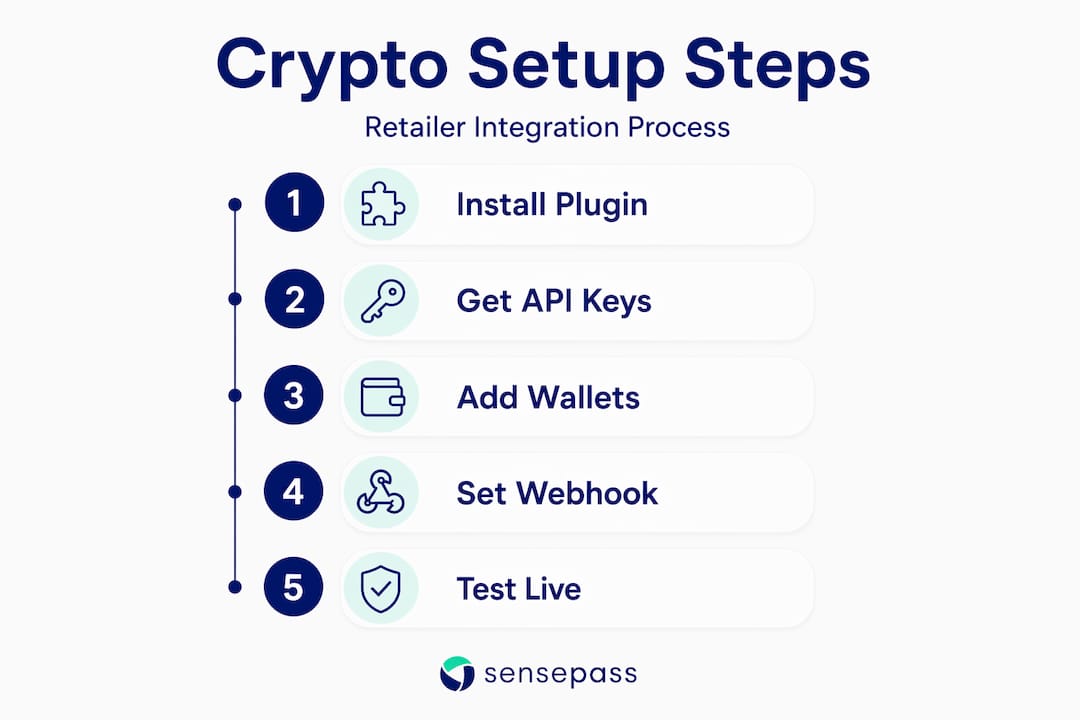
Step 1: Install your crypto payment gateway plugin
Navigate to your WordPress dashboard, go to Plugins, search for your chosen gateway (for example, Paymento), and install and activate it. For Shopify, install directly from the Shopify App Store.
Step 2: Obtain your API credentials
Log into your gateway provider’s merchant dashboard. Locate your API key and Secret key. These two credentials authenticate every transaction request your store sends to the gateway. Copy them exactly. One character error causes silent authentication failures that are difficult to trace.
Step 3: Configure wallet addresses
In the plugin settings, enter your receiving wallet addresses for each supported cryptocurrency. For Bitcoin, configure your XPUB key within the gateway settings to generate unique addresses per transaction, which is the standard for privacy and accounting accuracy. For Ethereum and ERC-20 tokens, a single address works but HD wallet derivation is still recommended at volume.

Step 4: Set your webhook or IPN URL
This step is where most retailers run into trouble. The webhook URL tells the gateway where to send payment confirmation callbacks when a transaction is confirmed on-chain. Webhook and IPN callback failures are the leading cause of orders not updating to “paid” status even after the customer has sent funds. Copy the exact URL from your plugin settings and paste it into the gateway dashboard without modification.
Step 5: Configure confirmation settings and UX
Set how many blockchain confirmations you require before marking an order complete. Bitcoin typically requires 1 to 3 confirmations. Stablecoin transactions on faster networks often confirm in under a minute. Lower confirmation thresholds improve checkout speed but marginally increase double-spend risk for high-value orders.
Step 6: Test with real and simulated transactions
Use the gateway’s sandbox environment first. Then run a small live transaction using each supported cryptocurrency. Check that:
- Order status updates correctly after payment
- Customer receives a confirmation email
- Transaction appears in your gateway dashboard with correct fiat conversion value
- Webhook fires and logs a successful callback
Step 7: Go-live checklist
- API keys saved and live mode enabled (not sandbox)
- Webhook URL confirmed active in gateway dashboard
- Wallet addresses verified for each coin
- SSL certificate active on your domain
- Refund policy updated to reflect crypto transaction handling
- Accounting software connected to receive transaction export
Pro Tip: Run your first live transactions during off-peak hours so your team can monitor the full payment flow in real time before volume picks up.
Compliance and record-keeping when accepting crypto
This is the part most retailers underestimate. Accepting cryptocurrency does not put you outside the normal tax system. Crypto payments are subject to VAT and income tax based on the fiat equivalent value at the time of sale. You are required to record that fiat value for every transaction, regardless of whether the customer paid in Bitcoin or euros.
In the EU, MiCA regulation applies from December 30, 2024, with full licensing compliance expected by July 1, 2026. This framework governs crypto asset service providers (CASPs), meaning your gateway vendor must hold appropriate authorization. You do not become a CASP simply by accepting crypto as payment, but your vendor does. Vet your provider’s compliance status carefully.
The EU’s DAC8 reporting framework adds another layer. Merchants must maintain detailed records for transactions above USD 50,000, including fiat conversion values and invoice documentation, with reporting due between January and September 2027.
In the US, the IRS issues Form 1099-DA to report gross proceeds from crypto digital asset sales. The critical nuance: 1099-DA does not report cost basis. You must track transaction-level cost basis yourself to accurately determine gains and losses. Your gateway’s CSV export alone is not sufficient.
Regardless of your jurisdiction, your record-keeping system needs to capture: transaction ID, timestamp, cryptocurrency type, amount received, fiat equivalent at time of payment, and the corresponding invoice or order number. This data set is your audit trail.
The Travel Rule extends these requirements further. Crypto transfers above €1,000 require collection and transmission of sender and receiver identity information. Your gateway provider should handle this at the infrastructure level, but you need to confirm it is implemented before going live in regulated markets. Providers that incorporate blockchain analytics and sanctions screening fulfill this obligation, and choosing one that does protects your business.
Practical compliance habits to maintain:
- Export full transaction reports from your gateway monthly, not just at tax time
- Store fiat conversion rates alongside each transaction using a timestamped data feed
- Review your gateway provider’s licensing status annually as regulations evolve
- Consult a tax advisor with crypto experience before your first full fiscal year of accepting payments
Optimizing the customer experience and your operations
Getting the technical configuration right is only half the job. How you present and manage crypto payments operationally determines whether customers actually use them and whether your team can handle the volume without friction.
Integrating your crypto gateway with existing POS and eCommerce systems eliminates the need for manual reconciliation between separate dashboards. Most major gateways offer WooCommerce and Shopify plugins that sync order status automatically. For in-store retail, look for gateways that generate QR codes at the point of sale so customers can pay from their mobile wallets in seconds.
On the customer-facing side, clarity drives conversion. Display accepted cryptocurrencies clearly on your product pages and at checkout. A short one-line explanation (“Pay with Bitcoin, Ethereum, or USDT. Funds convert instantly to USD.”) removes the hesitation many first-time crypto payers feel. You can also reference retail payment method options on your FAQ or help center to give shoppers context.
Additional practices worth building into your workflow:
- Enable instant payment notifications so your fulfillment team does not wait for manual order checks
- Use auto-conversion features to settle in fiat and eliminate cryptocurrency volatility risk on your books
- Assign one team member as the operational owner for crypto payment monitoring during the first 90 days
- Connect your gateway’s transaction export to your accounting software using CSV imports or direct API feeds
Pro Tip: Offer a small incentive, such as free shipping on crypto-paid orders, during your first month. It generates real transaction data for testing while giving early adopters a reason to try the new option.
My honest take on crypto payment integration
I’ve worked with enough retailers on payment gateway selection to know where the real friction lives. It is almost never the technical setup. Most payment plugins are well-documented, and the configuration steps are genuinely manageable. The problems I see repeatedly are upstream decisions made without enough information.
The biggest misconception I encounter is that crypto payments are a “set it and forget it” addition. In practice, the compliance landscape moves fast. What was optional guidance in 2023 is legally binding in 2026 in several jurisdictions. Merchants who treated crypto as a marketing experiment and skipped the record-keeping are now scrambling before audits.
My second observation: processor-agnostic gateways dramatically outperform single-provider solutions for retailers planning to scale. When you lock into a gateway that only works with one card processor or one crypto provider, you lose negotiating leverage and flexibility as your volume grows. The retailers I’ve seen succeed long-term are the ones who chose infrastructure that could adapt, not just infrastructure that worked on launch day.
If I were advising a mid-size retailer today, I would tell them: pick a gateway with strong compliance tooling, confirm your vendor’s regulatory status, build your record-keeping workflow before your first transaction, and choose a platform that connects to your existing POS without a custom integration project. The crypto setup itself takes a day. Getting the foundation right takes a week, and it is worth every hour.
— Vlad
How Sensepass helps you accept crypto and more
If you are ready to go beyond a single-gateway crypto setup, Sensepass is built for exactly this challenge.
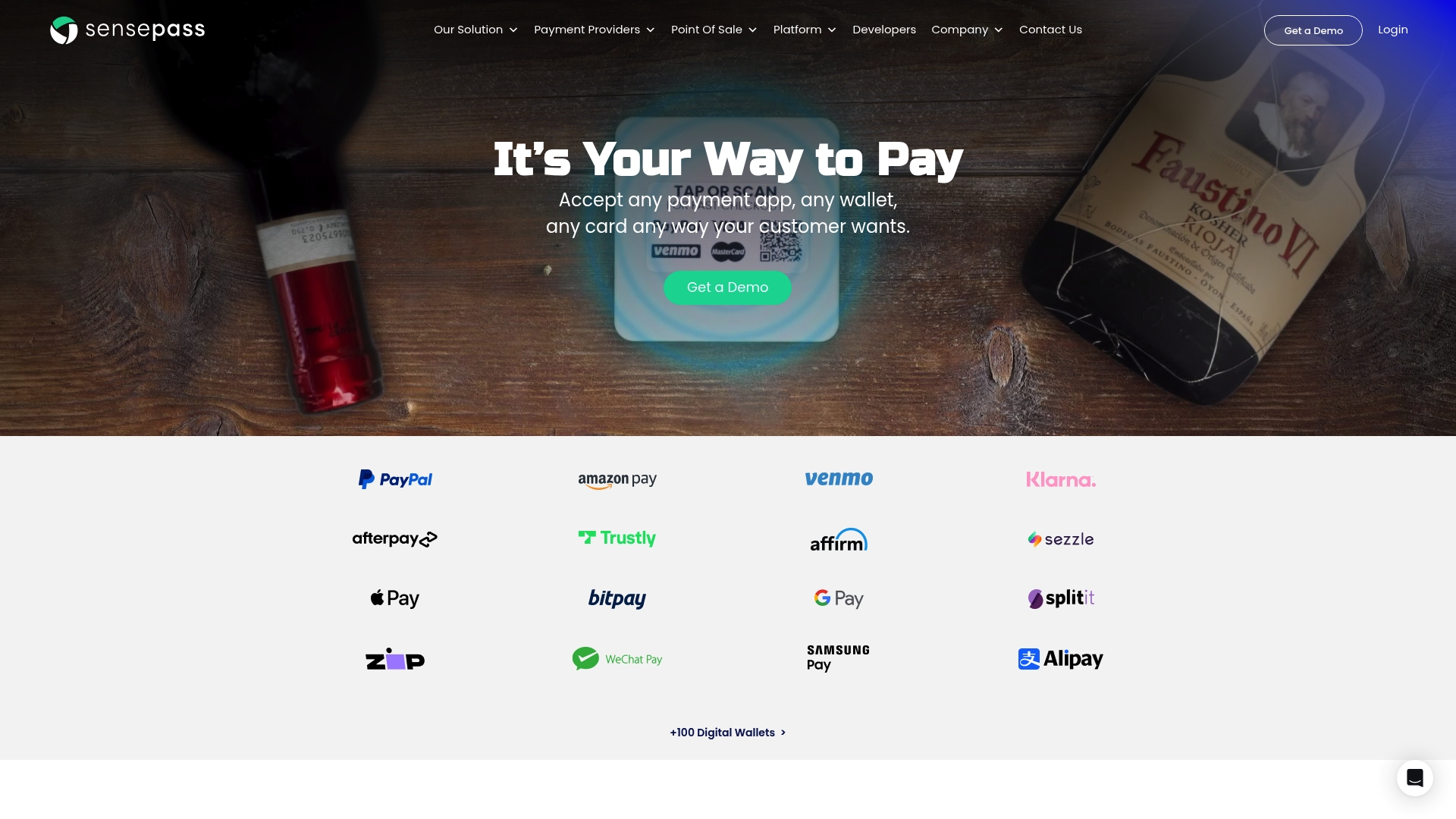
Sensepass is a processor-agnostic omnichannel payment platform that connects to more than 50 card processors and integrates with major retail systems including NetSuite, SuiteCommerce, Oracle Xstore, Aptos, Shopify POS, BigCommerce, Storis, NCR, and Dynamics365. For crypto specifically, Sensepass supports BitPay and Coinbase alongside a full range of payment methods: digital wallets (PayPal, Venmo, Apple Pay, Google Pay, WeChat, Alipay, Amazon Pay), BNPL options (Klarna, Sezzle, ZIP, Splitit, Afterpay), financing through WeGetFinancing and Affirm, and Pay by Bank via Trustly and LinkMoney. You get a single integration that covers crypto, cards, wallets, and financing in one place, both online and in-store.
FAQ
What is the easiest way to start accepting crypto payments?
Install a crypto payment gateway plugin on your eCommerce platform, configure your wallet addresses and API keys, and activate your webhook URL. Non-custodial solutions like Paymento for WooCommerce allow direct settlement to your wallet with minimal technical overhead.
Do I need to report crypto payments for tax purposes?
Yes. Crypto payments are subject to VAT and income tax based on the fiat value at the time of sale. In the US, the IRS uses Form 1099-DA for reporting, but merchants must also track cost basis at the transaction level independently.
How do I fix failed crypto payment confirmations?
Failed confirmations are almost always caused by a misconfigured webhook or IPN URL, or an incorrect secret key in your plugin settings. Validate both in your gateway dashboard and plugin configuration before going live.
Which cryptocurrencies should I accept first?
Start with Bitcoin, Ethereum, and at least one stablecoin such as USDT or USDC. Stablecoins eliminate price volatility at checkout, making them practical for both merchants and customers who prefer price certainty.
What does MiCA mean for retailers accepting crypto in the EU?
MiCA regulation applies to crypto asset service providers, meaning your gateway vendor must be licensed or registered. As a merchant accepting crypto payments, you are not classified as a CASP, but you must use a compliant provider and maintain proper transaction records under DAC8 reporting rules.
Recommended

 New York Office
260 Madison Ave Suite 8018 New York NY 10016

